
Usage simplicity | Swift Performance plugin review
Features | Swift Performance plugin review
- Eliminate render blocking assets
Swift Performance plugin not just minify and combine the CSS and javascript files, but it can create critical CSS on the fly for your pages. The critical CSS will be generated on the fly for every pages. It will contain only that rules what are used on the current page. You can also inline the critical CSS, and/or the merged CSS as well. - Innovative, super fast cache
Swift Performance plugin provide intelligent caching, you can cache AJAX requests and dynamic requests as well.
Intelligent cache means the following: the plugin loads the cached version (so the user can see your page fast), after it will check in the background the cache is it still valid or was there any change if you enable the save server resources option (recommended) it will check the cache only once per an hour, but it will check it immediately if there was any requests which can affect the content (eg comment, forum post, etc).
You can also set instant reload, in that case after the check ran in the background it will change the page content for the user (if there wasn’t any user action eg: typing).
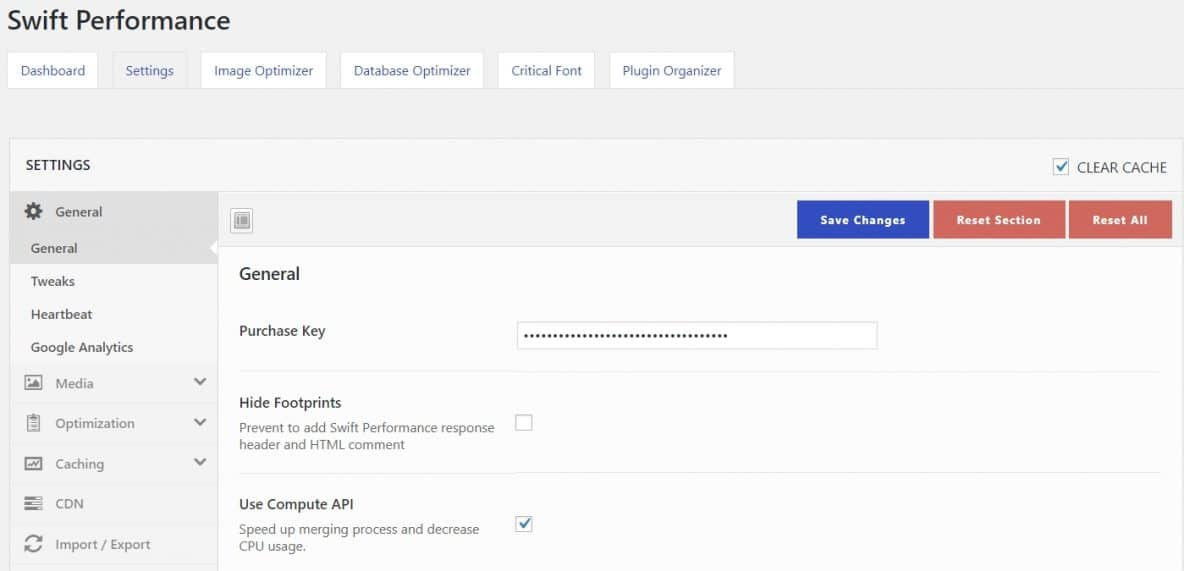
The latest feature is autoconfig which allows Swift to automatically choose the best plugin’s setup for the current site. - Unlimited image & database optimizer and plugin organizer
Swift Performance plugin comes with a built-in unlimited image optimizer on unlimited sites. You can lossless compress your JPEG and PNG images, and improve your site’s performance. However, on some websites/hostings this module doesn’t work properly, author need to further optimize it. There are also powerful database optimizer along with plugin organizer. There features alone allows you to replace several plugins with Swift plugin’s usage. - Proxy 3rd party Javascript (like Google Analytics)
With the 3rd party proxy you can proxy Google Analytics, Facebook, etc scripts which usually have a very short expire (to be able track the users) and set an acceptable expiry header for them. - CDN support
Swift Performance plugin provides CDN support. You can specify a host name what will be used for static resources. You can also set 3 different hosts for CSS, JS and for media files.
Speed | Swift Performance plugin review
Security | Swift Performance plugin review
Support | Swift Performance plugin review
- If you need help with Pro version configuration & other topics, you can send them a ticket on their site and you will get a paid support
- If you need support for the Swift’s configuration, you can buy Swift’s Configuration Service
- If you need a free support, you can ask on Swift’s WordPress.org
Other points | Swift Performance plugin review
Author say that Swift is compatible with Varnish & WooCommerce.
Swift Performance plugin pricing is affordable and fair for the numerous numbers of the features it offers.
However, if you want to try it you can do it via Swift Performance Lite on WordPress.org.
What are the main differences between Swift Performance Lite and PRO version?
In short: unlimited image optimizer, extended woocommerce features, server push for HTTP2, remote cronjobs, critical icon fonts, compute API (for lower CPU usage), whitelabel, etc.
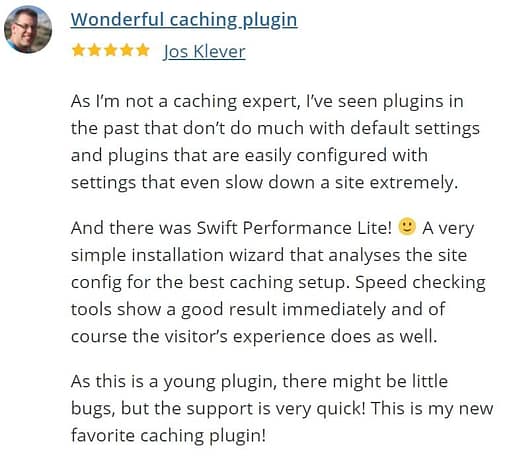
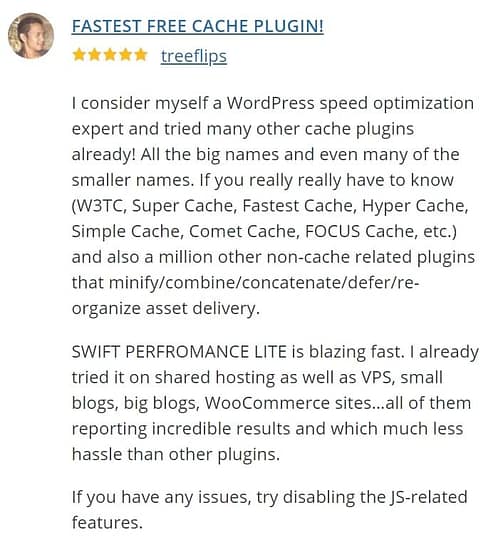
What others say on WordPress.org about their experiences with Swift Performance:
Swift optimized default settings | Swift Performance plugin review
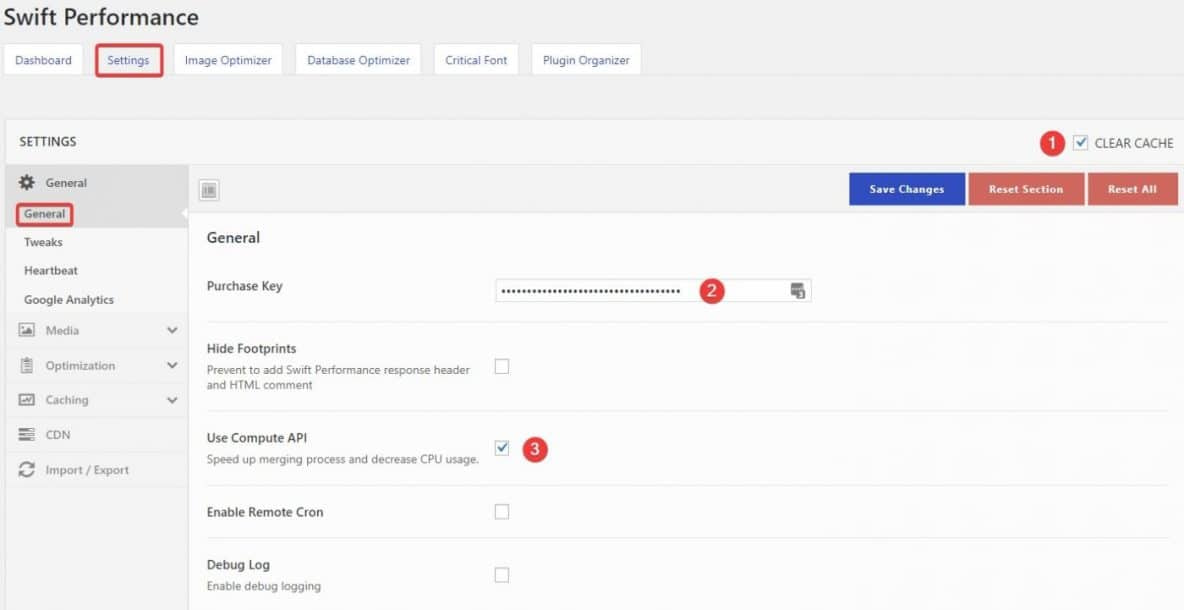
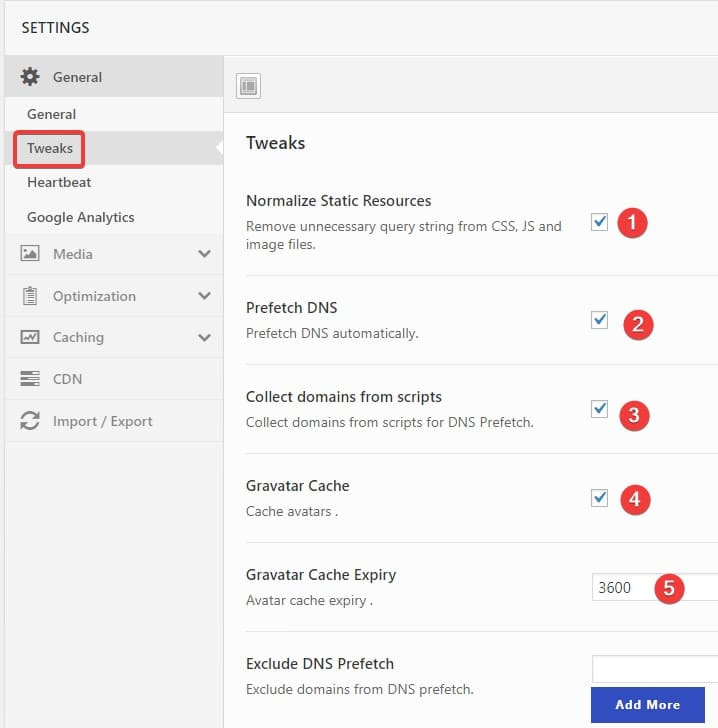
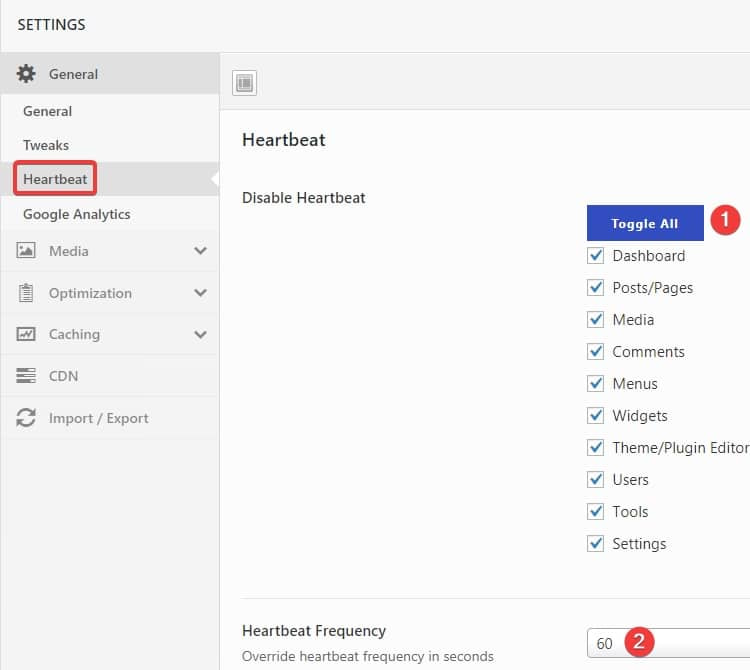
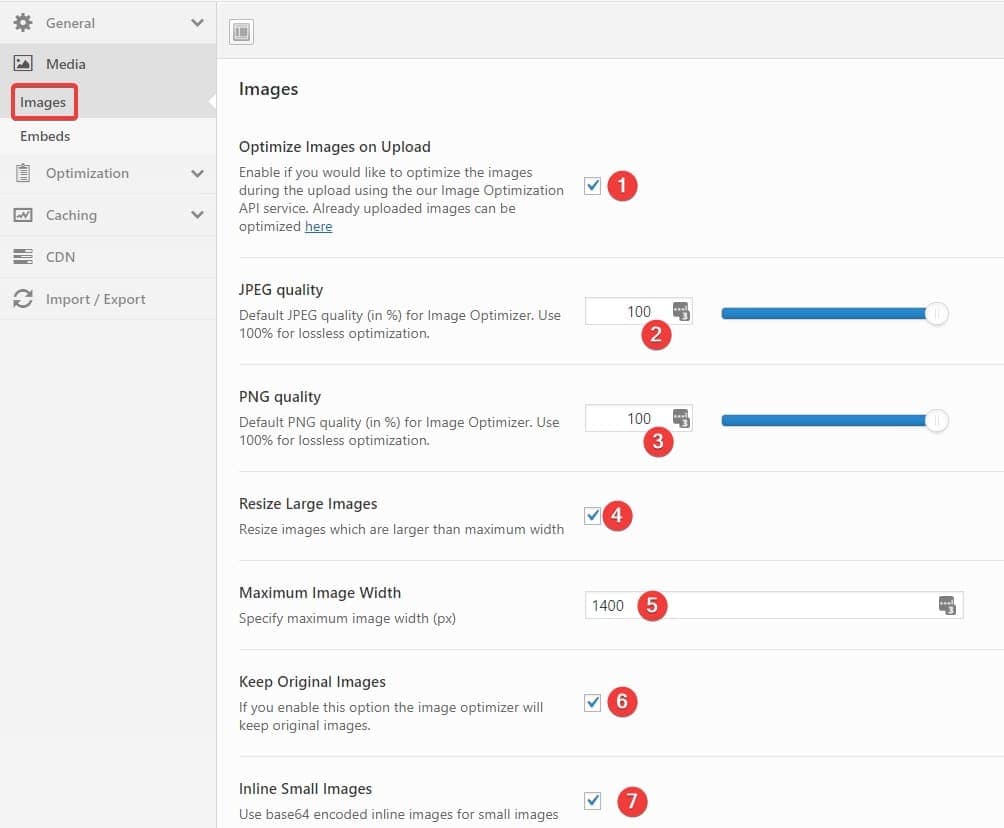
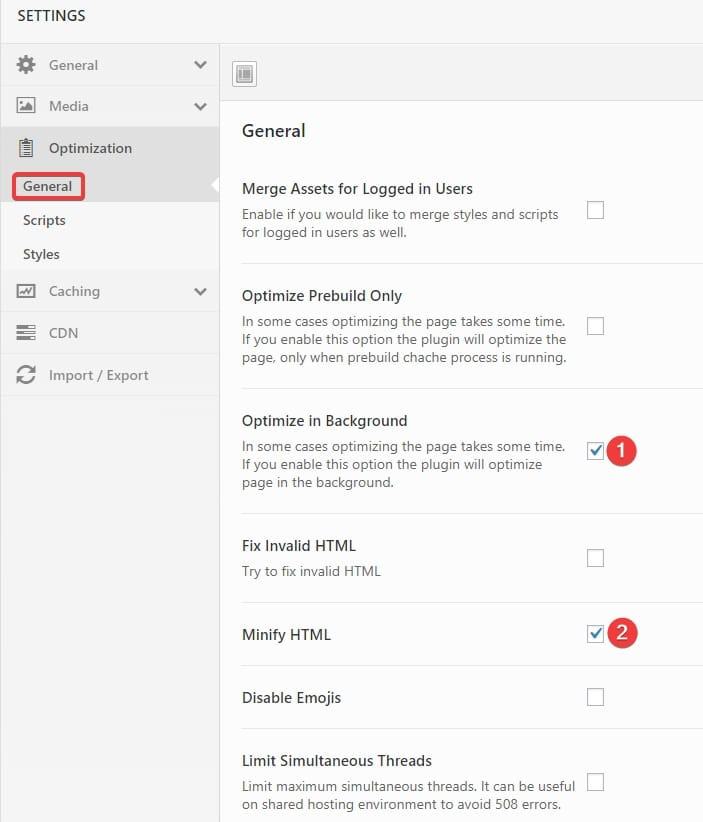
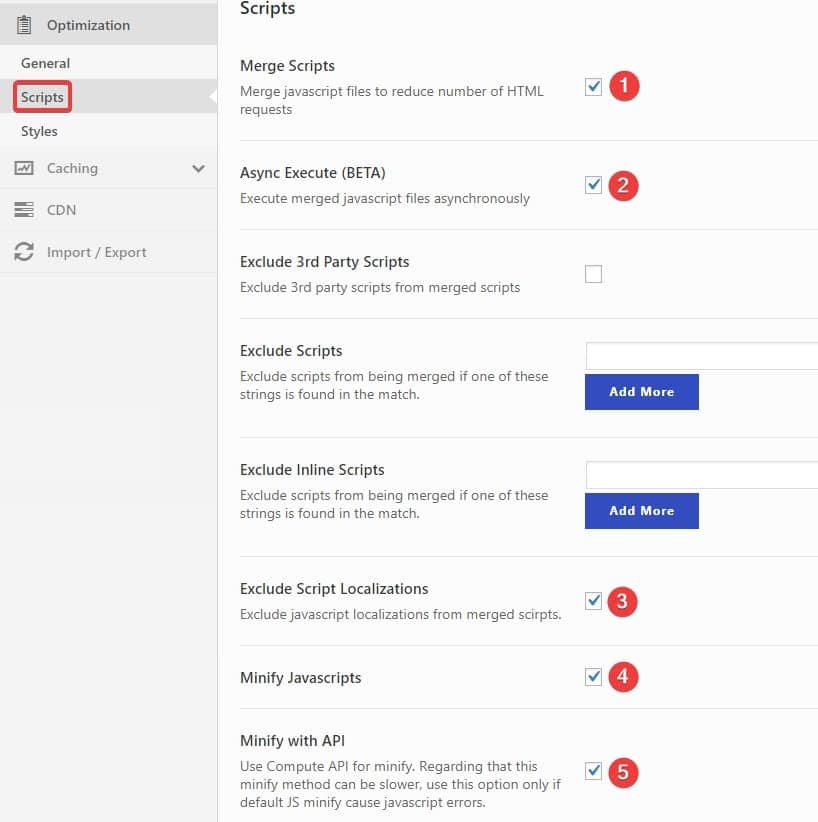
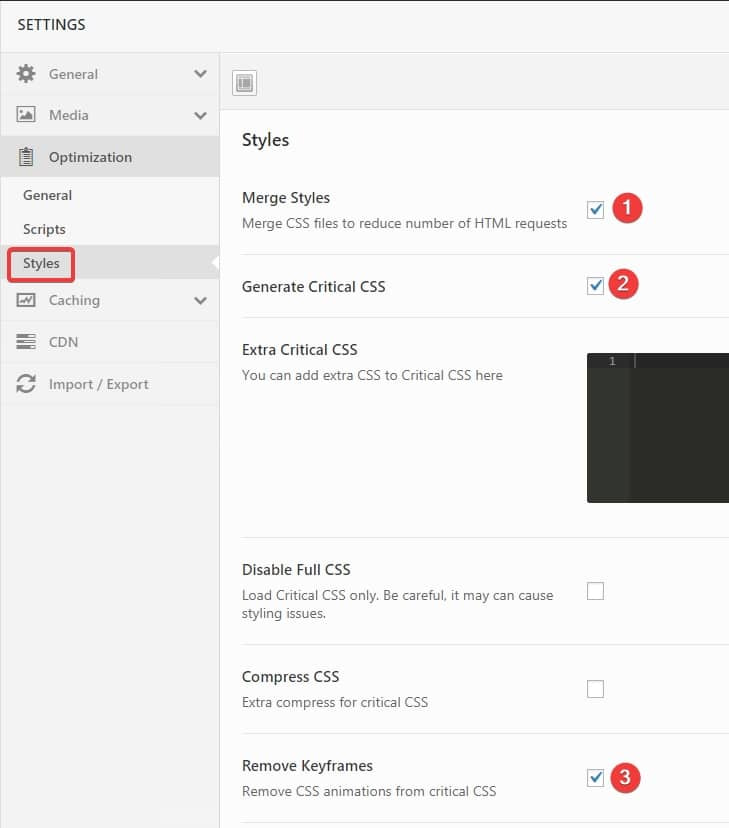
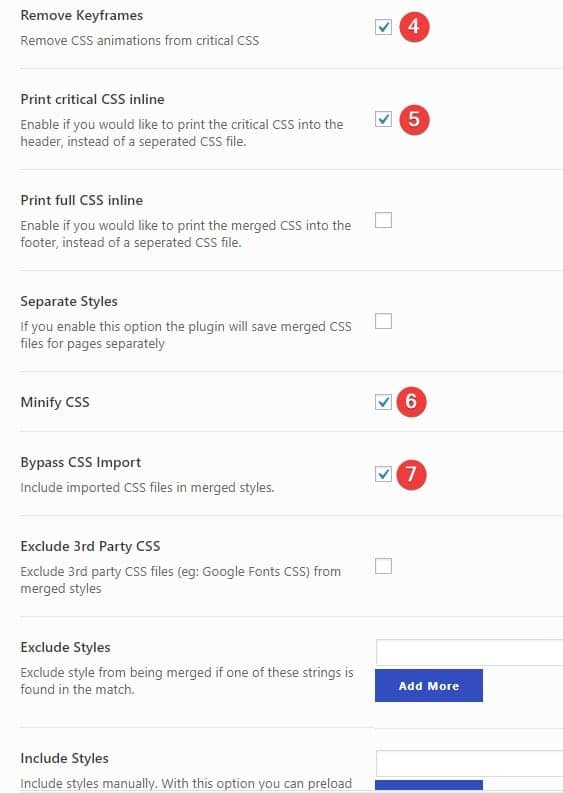
Below Swift Pro settings works without issue on our sites. However, every website is different and you should never follow blindly ANY settings as what worked for others may not work for you. Backup your site as the 1st step as always before making any changes on your production site, and try various Swifts’ settings. More detailed Swift official documentation is in development.


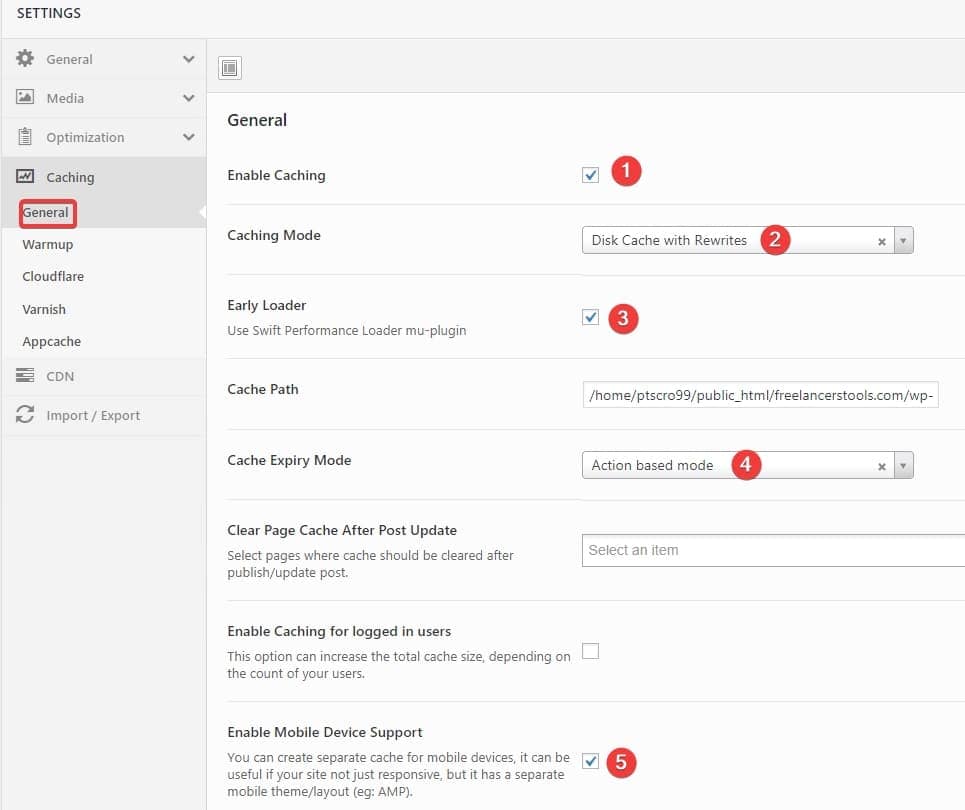
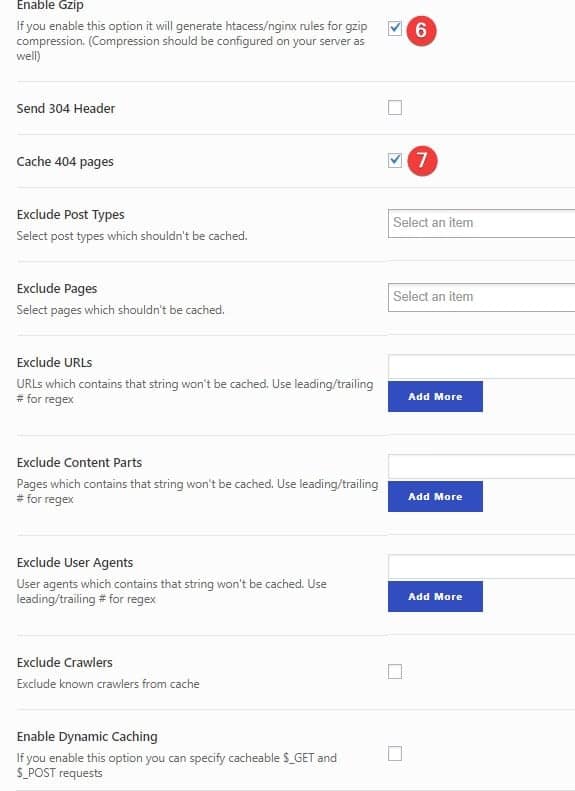
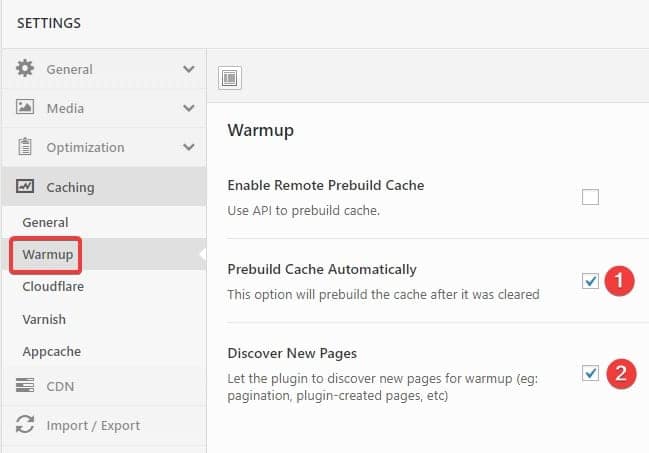

Thanks for the review. However I will say a few things: first is after HTTP 2.0 there is no reason to merge assets, it is stupid and also dangerous method. And, 99% to defer/async scripts to footer is also a stupid and dangerous method. No high traffic and successful company ever did these things. Next is almost no difference about size from critical CSS and all CSS. So just inline all is better and no risk. And should inline in very header, not footer, to avoid FOUC. Last thing is warm cache is mostly pointless. Maybe it will help less… Read more »
Hi, thx for your comment. Merge is not so important if you are using HTTP2 but it will a bit quicker (as the server will get only 1 request instead of 32). Sometimes the original CSS is minimal enough (e.g. site is using only few, well coded plugins), that because is Critical CSS an option not mandatory feature. If Critical CSS is disabled, it will move merged CSS to head not in footer. Deferring JavaScript (move to footer) is the right method. Why would it be dangerous? Inline CSS is not the best solution (it is good only for critical… Read more »